
September 1, 2025
HP Spectre x360 14 Review: Intel Core Ultra 7 in a Premium 2-in-1 Laptop
The HP Spectre x360 14 is a fantastic 2-in-1 laptop because it has a beautiful design and a powerful Intel Core Ultra engine. The laptop has a beautiful 2.8K OLED screen, a high-end gem-cut design, and a long battery life, making it ideal for both work and play. The Spectre x360 14 stands out because it is portable, good at managing heat, and has many different functions. It also has a good keyboard and a quick trackpad. If you want a high-end, convertible laptop that both works well and looks good, the HP Spectre x360 14 is a fantastic 2-in-1 choice.
HP Spectre x360 14 Specifications
| Specification | Details |
| Processor | Intel Core Ultra 7 155H (16 cores, 22 threads, 4.8GHz boost clock) |
| Graphics | Intel Arc graphics (2.25 GHz) supporting DirectX 12.1 and HDMI 2.1 |
| RAM | 32GB LPDDR5X |
| Storage | 1TB PCIe Gen 4 SSD |
| Display | 14-inch 2.8K OLED, 16:10 aspect ratio |
| Battery | 68Wh |
| Weight | 1.27kg |
Introduction: The HP Spectre x360 14 at a Glance
HP has elevated this line with the introduction of the new Intel Core Ultra 7 CPU. It offers better power, efficiency, and heat control. This review will look at the Spectre x360 14’s design, speed, and features, with a focus on how much the Intel Core Ultra 7 chip makes the whole experience better.
If you’re not familiar with the term, the HP Spectre x360 14 is a 2-in-1 laptop. The Spectre x360 14 is a very useful tool for both business and personal use because it can be changed to fit different needs.
Quality Of Construction And Design
HP continues to do a great job with design with the Spectre x360 14. It looks excellent and is well put together. The laptop is sleek and feels high-end. The matte blue colour of my review model looks modern and classy. The design’s gem-cut corners stand out because they look good and are also useful for placing ports. There is a 3.5mm audio connector and a Thunderbolt 4 port in these unique parts of the Spectre x360 14, which makes it stand out from other laptops on the market.
The building is very well done. The frame doesn’t seem to be bending or flexing; it feels strong. The laptop is easy to switch between its different setups because the hinge is strong and smooth. The 14-inch screen on the Spectre x360 14 might not seem like much, but it’s very flexible for people who are always on the go.
The HP Spectre x360 14’s design is a good mix of style and functionality. With clean lines and smooth sides, the laptop’s simple design makes it look great in a business setting as well as when it’s being used for fun or creativity.
Sound And Screen
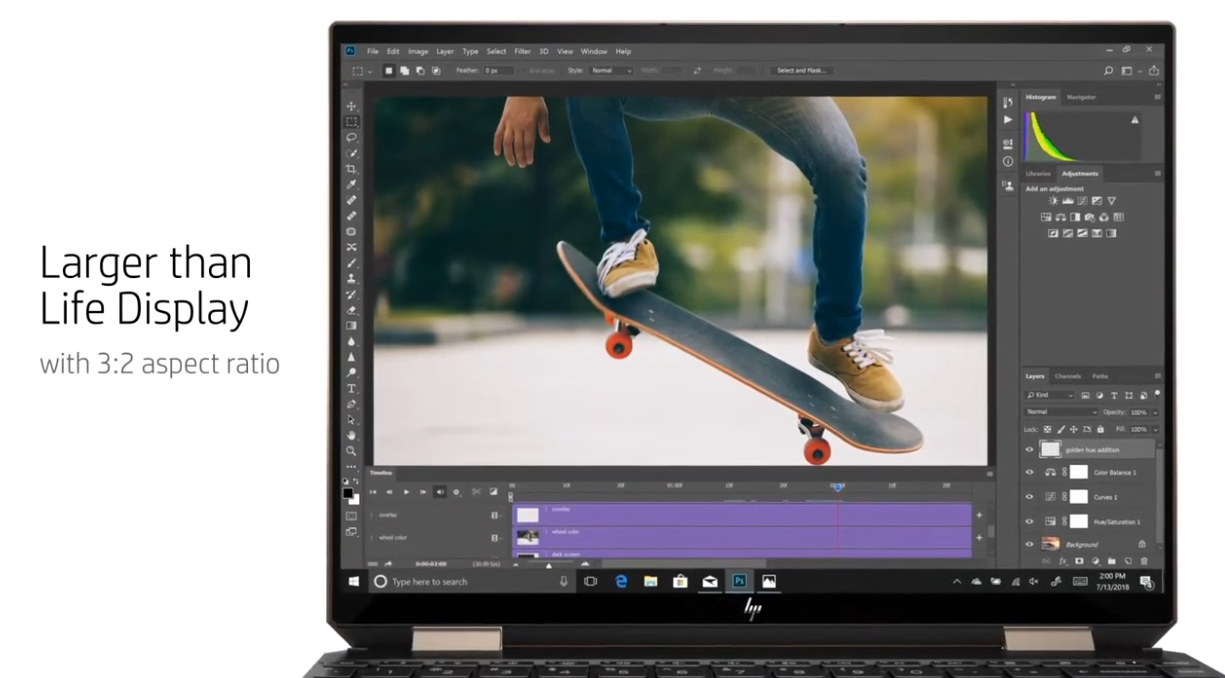
One of the best things about the HP Spectre x360 14 is its 14-inch 2.8K OLED screen. While other computers feature aspect ratios of 3:2 or 16:9, the HP Spectre x360 14’s screen boasts a 16:10 ratio, offering the optimal balance of both aspects. Especially for work-related tasks, the higher screen height is very helpful because it makes juggling and reading documents easier while still being great for watching videos.
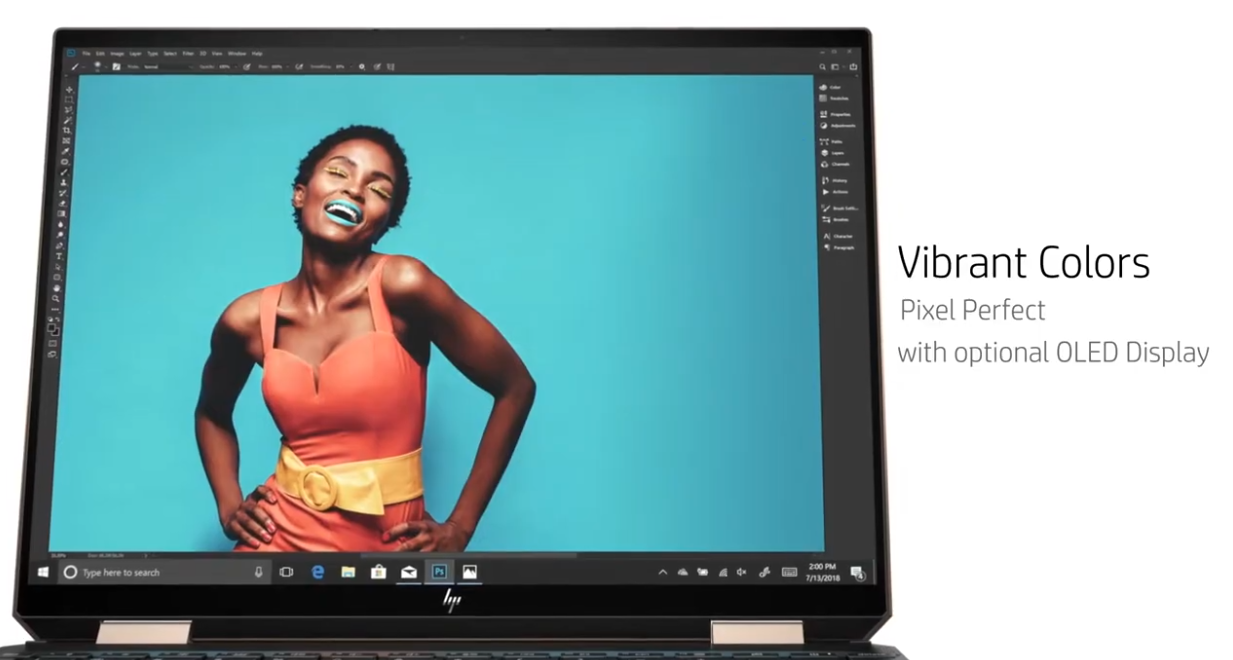
The screen itself is stunning, with deep colours and great contrast. During tests, the screen got 382 nits of light, which is a little more than the ASUS Zenbook 14 OLED, which got 367 nits. Experience lifelike colour reproduction on the Spectre x360 14, boasting 99% colour coverage and 100% sRGB.The screen’s Delta E value of 1.9 means that it reproduces colours very accurately, making it a fantastic choice for content creators who need to be able to do that. The OLED screen makes sure that everything is clear and bright, whether you are surfing the web, watching movies, or editing photos.
HP uses a four-speaker device for sound. There are two speakers on each side of the keyboard and two under the laptop. The speakers have a lot of sound, but the bass isn’t forceful. It doesn’t sound as full or loud on the HP Spectre x360 14 as it does on the 14-inch MacBook Pro, which has six speakers. The overall sound quality is good enough for most people, with clear mids and highs. The sound system works fine for everyday use, but if you want movie-theatre-quality sound, you should use external speakers or headphones.
Keyboard And Trackpad
The keyboard on the HP Spectre x360 14 is another great thing about it. The keys are bigger than those on many other 14-inch computers—even the MacBook Pro— and they move easily enough for easy typing. The spacing between keys is good, and the keyboard is comfortable to type on for long periods of time or short bursts. The keyboard isn’t full-size, but it works perfectly with this size 2-in-1 laptop, and the keys are sensitive enough to make typing easy.
The power button and fingerprint reader are both built into one button, which is a very interesting design feature. The power button would be easier to find if it were labelled, but the lack of marks makes it harder for some users. Still, there is a small issue that doesn’t take away from how nice the keys look overall.
Something else that stands out is the trackpad, which has haptic input like Apple’s MacBook models. The trackpad is bigger than the one on the 14-inch MacBook Pro and responds rapidly. The haptic input is clear even at the lowest level, and the experience is smooth and accurate. The trackpad makes the whole experience better for the user and is easy to use.
Battery Life And How Well It Works?
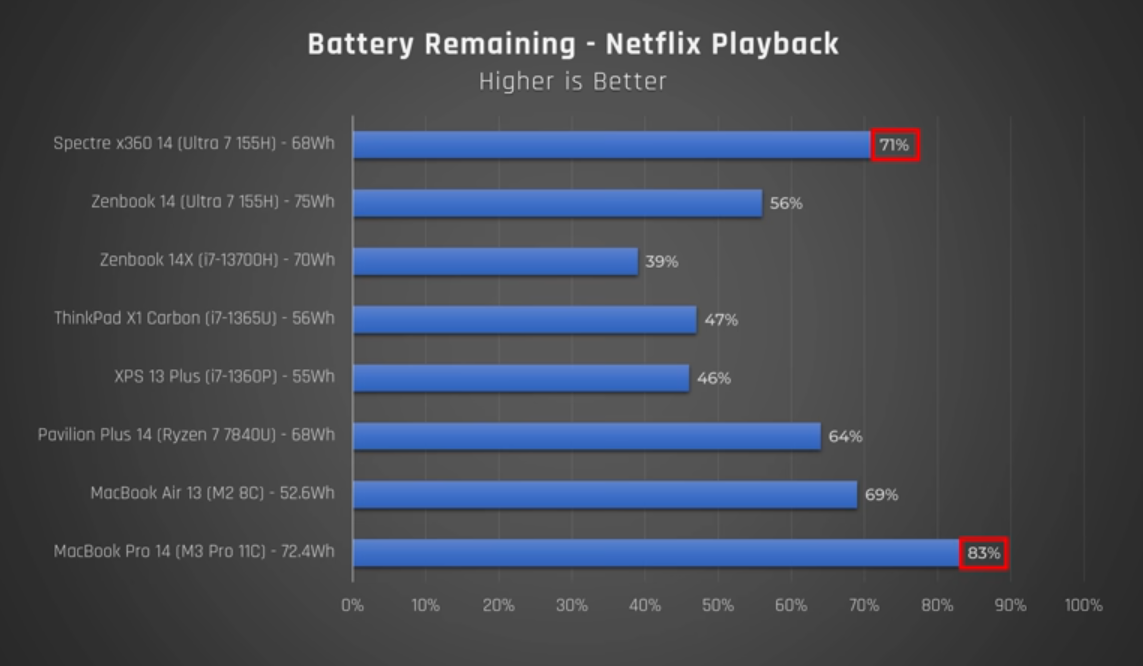
The Intel Core Ultra 7 CPU is at the heart of the HP Spectre x360 14. It works very well for many jobs. This 16-core CPU can handle up to 22 threads and has a boost frequency of 4.8 GHz. It was made to be fast and use little power. In fact, HP has changed the engine to make it more efficient, which means the battery lasts a long time.
The HP Spectre x360 14 did better in real-world tests than many of its 2-in-1 competitors, such as the ASUS Zenbook 14 OLED. It had an impressive battery life of almost 13 hours in the PCMark 10 Modern Office battery benchmark. The great battery life of the Spectre x360 14 is one of the reasons it got the Intel EVO approval.
The Spectre x360 14 is faster than the ASUS Zenbook 14 OLED in single-core tests but not as fast in multi-core tests. The ASUS did better in multi-core tests, but the HP Spectre x360 14 did better in single-core tests, getting 1741 points, and in multi-core tests, it got 9443 points. The ASUS Zenbook 14 OLED just beats the Spectre x360 14 in multi-core tests, but the Spectre x360 14 scored 2329 in single-core tests and 12443 in multi-core tests in Geekbench 6. It’s smooth to use the Spectre x360 14, but the ASUS Zenbook 14 OLED might be a little better for tough multi-core jobs.
Storage And The Ability To Add On
Both the HP Spectre x360 14 and the ASUS Zenbook 14 OLED have 1TB SSDs, but the Spectre x360 14 has faster read and write speeds. This advantage makes it faster to start apps or move large amounts of data. Since the Spectre x360 14’s memory is LPDDR5X RAM that is built into the motherboard, it can’t be upgraded. This type of configuration is common for thin and light computers, but it means you won’t be able to add more RAM later. The laptop, on the other hand, has storage that can be upgraded by the user, which is good for people who might need more room in the future.
Performance Of Graphics
The Intel Arc graphics built into the HP Spectre x360 14 are pretty good for light games and creative work. The laptop got 3291 points in TimeSpy and 7267 points in FireStrike on the 3DMark test. Performance benchmarks rank the Spectre x360 14 among budget-friendly gaming machines. Light gamers can play Shadow of the Tomb Raider at 30 frames per second or GTA 5 at 65 frames per second on this laptop, but it’s not made for heavy gaming. Xess upscaling technology from Intel, on the other hand, lets you play games like The Witcher 3 at 60 FPS and with better graphics.
Pros:
- Exceptional performance and design
- Impressive battery life
- Brilliant OLED display
Cons:
- No discrete GPU option
- Audio quality could be improved
Last Thoughts
The HP Spectre x360 14 is a high-end, convertible 2-in-1 laptop that looks great and works amazingly well. It’s very fast and efficient, and the Intel Core Ultra 7 chip makes it ideal for both work and play. The 2.8K OLED monitor is one of the best parts. It has bright, true-to-life colours that are ideal for creative work. Better still, the laptop’s solid keyboard and haptic feedback trackpad make the experience even better.
The Spectre x360 14 is great for most users, even though it doesn’t have a separate GPU, and its multi-core speed is a little worse than that of competitors. It’s the best high-end convertible laptop because it looks great, has a great screen, and lasts a long time on a single charge. The HP Spectre x360 14 is one of the best laptops for people who want a high-end machine that doesn’t skimp on power.
FAQs
1. How Long Does The HP Spectre X360 14 Work On A Charge?
The battery lasts a very long time—about 13 hours on the PCMark 10 Modern Office test. This 2-in-1 has one of the best performance ratings and can be used for long amounts of time without needing to be charged often.
2. Is It Possible To Play Games On The HP Spectre X360 14?
The Spectre x360 14 wasn’t designed to be a gaming laptop, but it does have Intel Arc graphics that can be used for light games. For casual gamers, it’s not the best device, but older games like GTA 5 and Shadow of the Tomb Raider should be able to run at frame rates that are fun to play.
3. Can More Memory Be Added To The HP Spectre X360 14?
The RAM in the Spectre x360 14 is soldered to the motherboard, which means it can’t be increased. The laptop has a 1TB SSD that can be upgraded by the user, so you can make it bigger.
4. How Good Is The HP Spectre X360 14’s Screen?
This laptop has a 2.8K OLED screen that covers 100% of the sRGB color space and 99% of the DCI-P3 color space. It’s great for creative people or anyone who wants a high-quality display because it has bright colors, good contrast, and accurate colors.